A few days ago I wrote about starting my first "vibe coding" experiment. I was skeptical. Like really skeptical.
My exact words: "LLMs are good at simple tasks and not good with what constitutes complexity."
I was wrong.
What I Thought I Was Building
The plan was simple. A markdown-to-PDF converter. No paywalls, no sign-ups, just a tool that works.
Friday night, 7 PM, holiday season. I figured I'd mess around with AI-assisted development and see what happens.
The initial scope:
- Turbo repo monorepo
- Next.js with TailwindCSS
- Basic editor with live preview
- PDF export
- Maybe some simple auth
That was it. A weekend project.
What I Actually Built
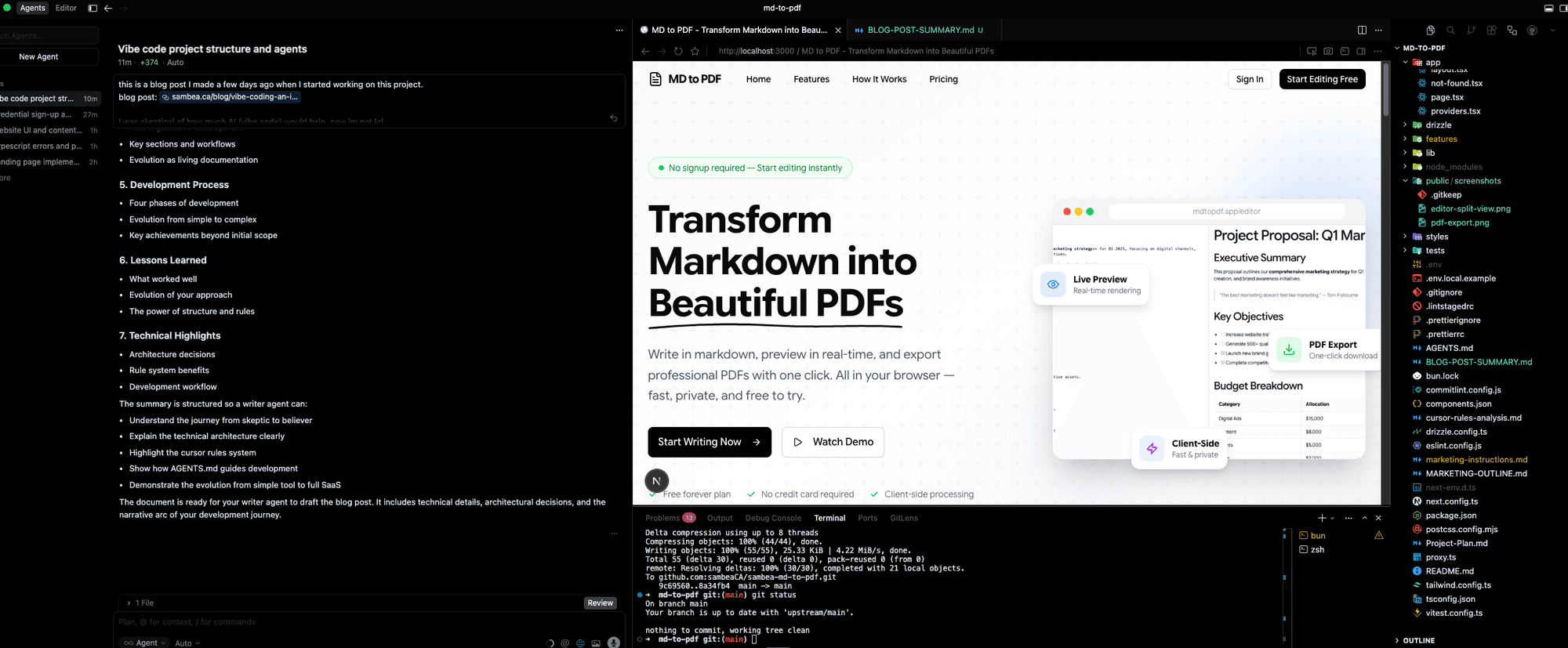
Four days later (part-time), I have a full SaaS application.
Not a prototype. Not a demo. A production-ready product with:
Core Features:
- Dual editor support (CodeMirror + Lexical rich text)
- Real-time live preview
- Client-side PDF generation
- GitHub Flavored Markdown support
Full Authentication System:
- Better Auth integration
- Email/password + OAuth (Google, GitHub)
- Email verification with OTP
- Password reset
- Session management
- Protected routes
Complete Document Management:
- Full CRUD operations
- Auto-save
- Search and filter
- PostgreSQL persistence
Subscription System:
- Polar payment integration
- Free and paid tiers
- Usage limits and tracking
- Customer portal
- Webhook handling
- Device fingerprinting for anti-abuse
Admin Dashboard:
- User management with growth charts
- Document analytics
- Subscription management
- Product/plan configuration
- Related accounts tracking
Landing Page:
- Hero with animations
- Features showcase
- Pricing section
- FAQ
- Full responsive design
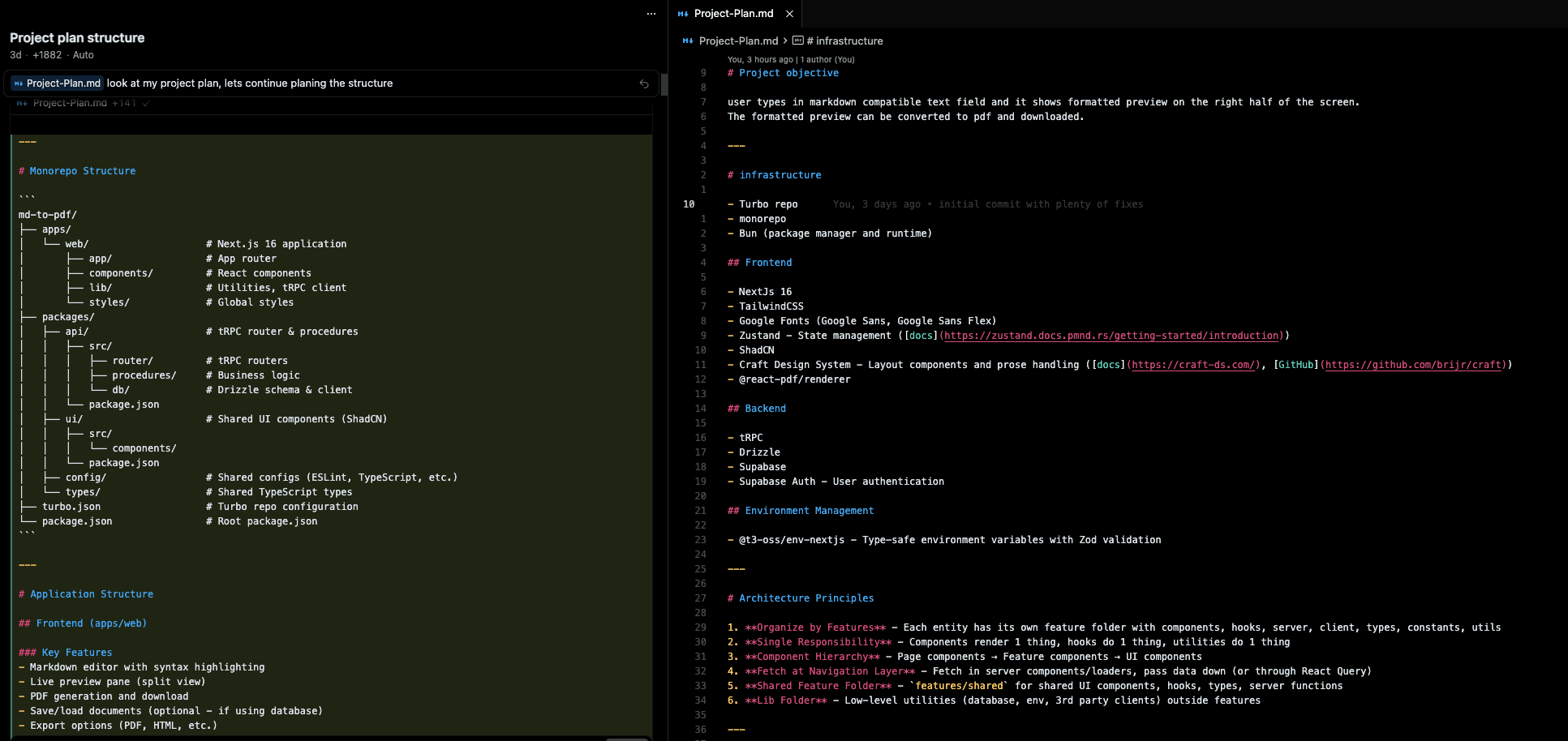
The Secret: Structure Over Prompts
Here's what changed my mind about AI-assisted development.
It's not about better prompts. It's about giving the AI a framework to work within.
I built three things that made everything work:
1. Feature-Based Architecture
Instead of organizing code by technical layers (components, hooks, utils), I organized by domain:
features/
├── admin/
├── auth/
├── document/
├── editor/
├── landing/
├── pdf-export/
├── preview/
├── subscription/
└── support/
Each feature has its own components, hooks, server logic, types. Everything related to "auth" lives in the auth folder.
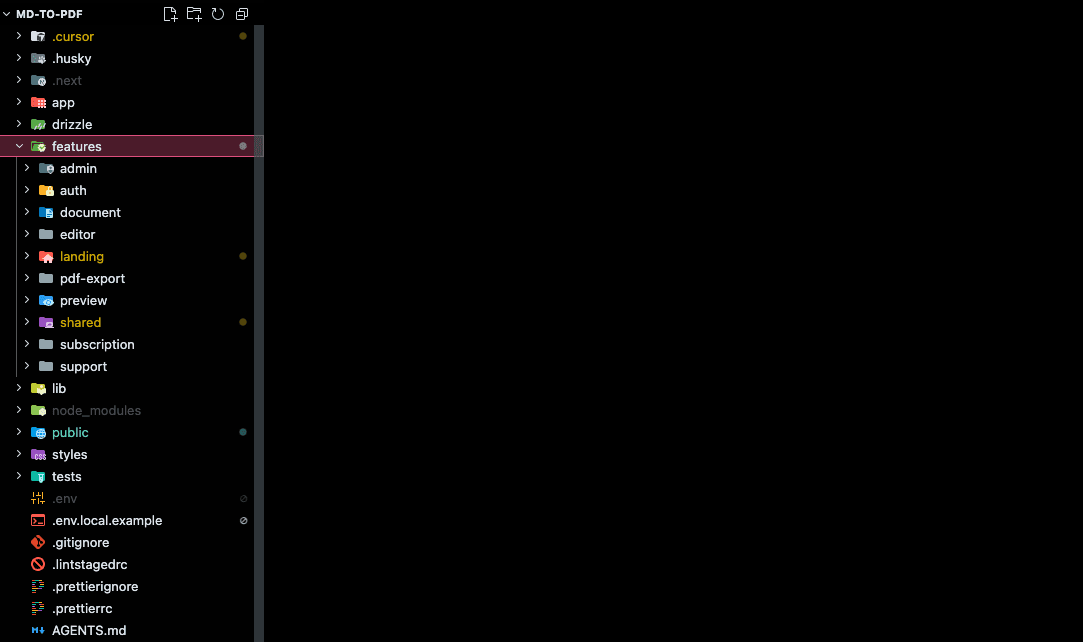
This sounds simple but it changed everything. The AI could understand scope. When working on auth, it knew exactly where to look and what patterns to follow.
2. Cursor Rules System
I created 13 rules that the AI consults before implementing anything.
Core rules that always apply:
- Architecture principles
- Code documentation standards
- Next.js best practices
- Project consistency
Conditional rules that activate based on context:
- Better Auth patterns (when touching auth code)
- Drizzle ORM patterns (when touching database code)
- tRPC patterns (when touching API code)
- Polar integration (when touching payments)
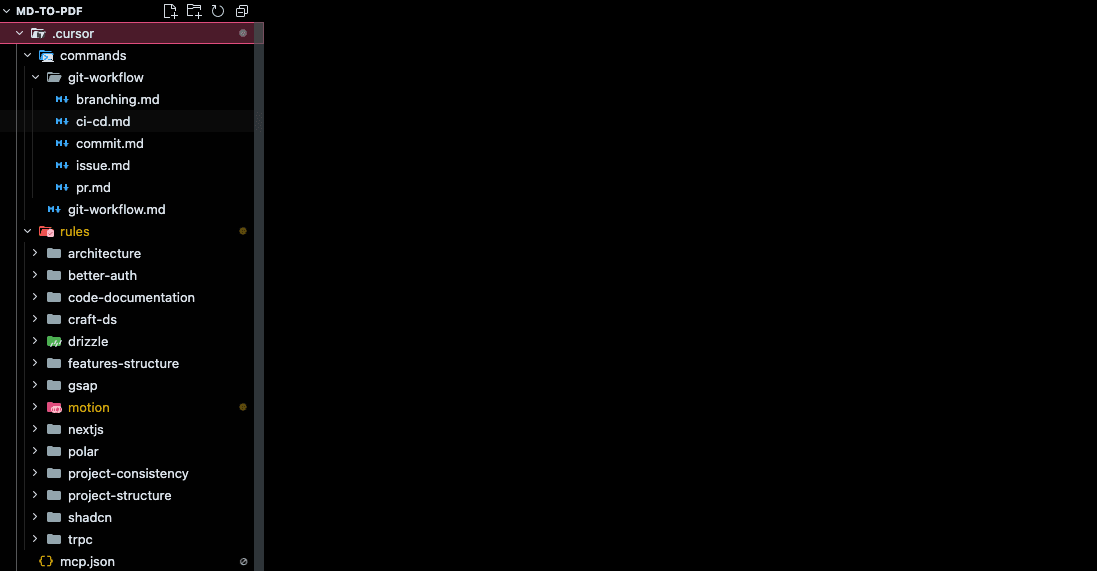
Each rule is a markdown file with metadata about when to apply it. The AI reads the relevant rules before writing any code.
Example rule structure:
---
description: Master consistency rule
globs:
  - "**/*.ts"
  - "**/*.tsx"
alwaysApply: true
---

# Rule Content
...
3. AGENTS.md
This is the central instruction file for AI agents. A living document that provides:
- Project overview and tech stack
- Architecture guidelines
- Code style conventions
- Framework-specific rules
- Git workflow
- Testing instructions
The key section is the "Primary Rule": Always follow @project-consistency before implementing any task.
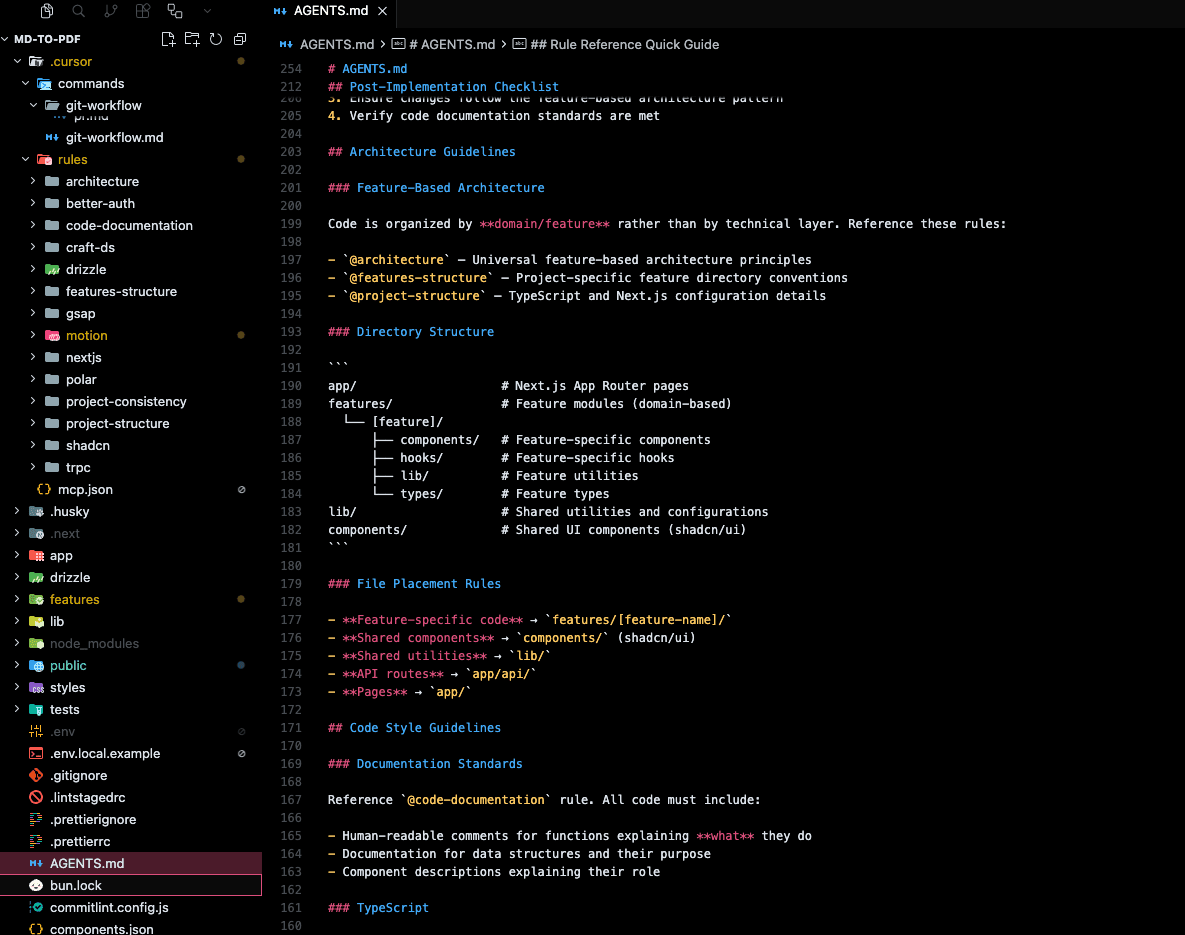
Every implementation ends with a checklist:
- Run
bun typecheck - Analyze and fix errors
- Verify architecture compliance
- Check documentation standards
The Tech Stack
Frontend:
- Next.js 16 with App Router
- React 19
- TypeScript (strict mode)
- TailwindCSS 4.x
- shadcn/ui components
- Zustand for state
- GSAP and Motion.dev for animations
Backend:
- tRPC for type-safe APIs
- Drizzle ORM
- PostgreSQL
- Better Auth
- Polar for payments
- Resend for email
Development:
- Bun as package manager
- Vitest for testing
- ESLint + Prettier
- Husky + Commitlint
What Made It Work
Type Safety End-to-End
tRPC gives you type safety from database to frontend. Change a return type on the server, TypeScript immediately tells you every place in the UI that needs to update.
The AI could catch its own mistakes before they became bugs.
Consistent Patterns
When every feature follows the same structure, the AI learns the pattern. By the third feature, it was generating code that matched perfectly.
Incremental Development
I didn't try to build everything at once. Each feature was a focused session:
- Define the structure
- Let AI implement
- Verify with typecheck
- Move to next feature
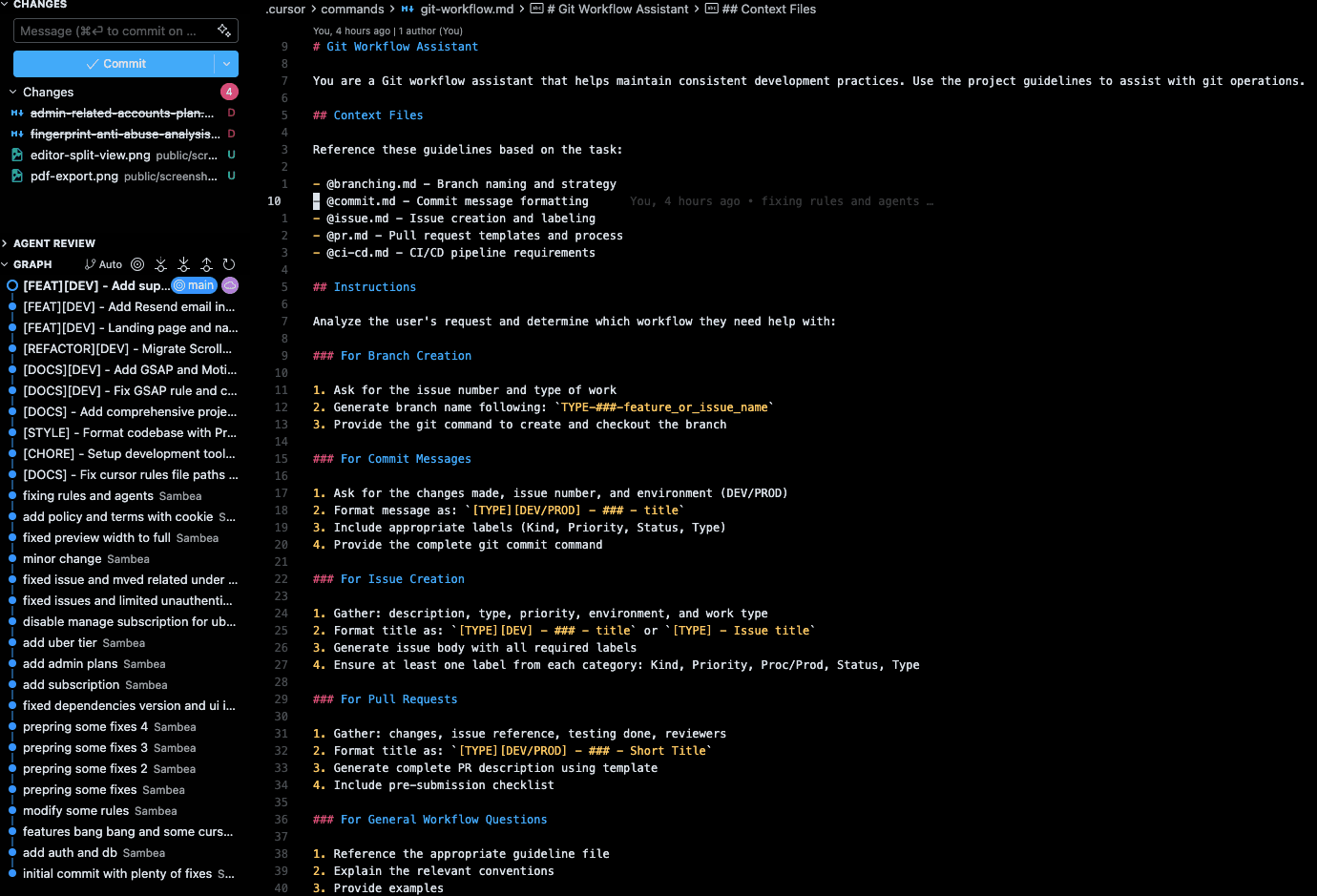
The Rules Compound
Every rule I added made future development faster. The AI stopped making the same mistakes. Code quality went up. Review time went down.
Real Talk: What Didn't Work
The first attempt was rough.
- Import paths were wrong
- Monorepo structure was off
- Packages were in the wrong place
I almost gave up that first night.
The difference came when I stopped treating the AI like magic and started treating it like a junior developer who needs clear documentation.
Give it a style guide. Give it architecture rules. Give it examples to follow.
Then it works.
Timeline
Day 1: Foundation
- Next.js setup
- Feature architecture
- Basic editor and preview
- tRPC and database
Day 2: Core Features
- PDF export
- Document persistence
- Started auth system
Day 3: Extended Features
- Full Better Auth integration
- Polar subscriptions
- Admin dashboard started
Day 4: Polish
- Auto-save
- Device fingerprinting
- Landing page with animations
- Admin analytics
- Responsive design
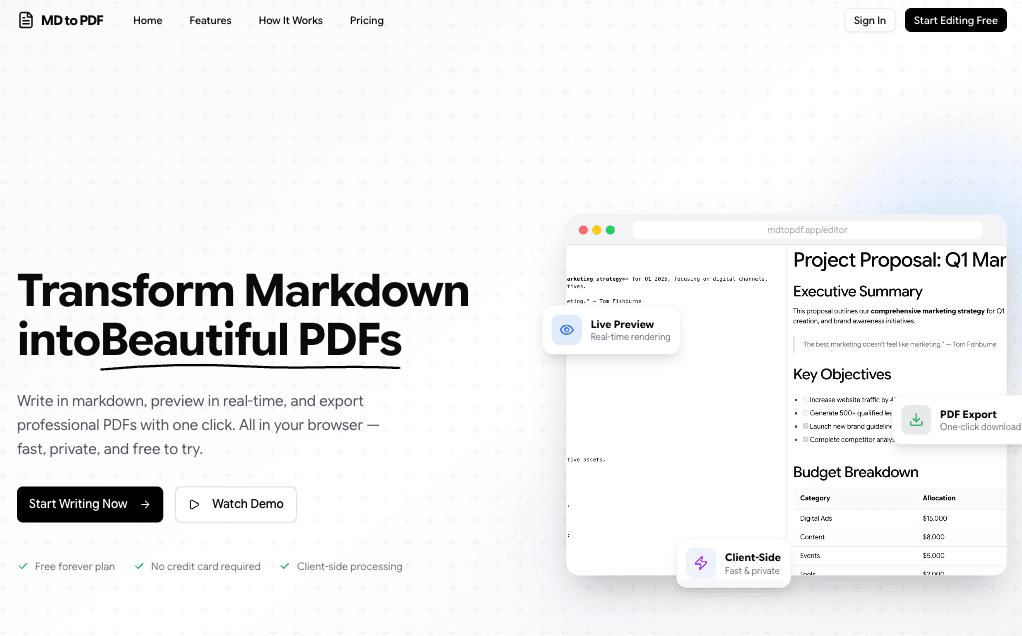
What I Learned
The AI isn't the limiting factor. The structure is.
Give it clear architecture, consistent patterns, and good documentation. It will build things that would take weeks in days.
Type safety is essential.
TypeScript strict mode + tRPC meant the AI could verify its own work. Errors were caught before I even saw the output.
Rules scale.
13 cursor rules might sound like overkill. But each rule represents a class of bugs that will never happen again.
Ship fast, iterate later.
The landing page wasn't perfect on day 4. The admin dashboard needed polish. But the product worked. Users could sign up, create documents, export PDFs, and subscribe.
Everything else is iteration.
What's Next
The product is live. Now it's about:
- Getting feedback
- Watching how people use it
- Iterating on what matters
I went from "LLMs are bad with complexity" to "I just built a SaaS in 4 days."
The tools are ready. The question is whether we're ready to use them correctly.
If you're building something and want to see how the rules system works, DM me. Happy to share the setup.
And if you're skeptical about AI-assisted development like I was... try adding structure first. The results might surprise you.